
CS2 FACEIT: Hardware Identifiers, Account Restrictions and Spoofer Scope
Why an account issue is not a hardware diagnosis, what the separate HWID utility lists, and why FACEIT support needs confirmation.
HWID Spoofer appears in this site’s catalog as a separate utility. The main CS2 FACEIT summary does not list it as a dependency and does not establish its FACEIT compatibility. That distinction should come before any purchase decision. An account restriction, a device identifier and a loader error describe different things, even when they all prevent a player from proceeding.
An account record is different from a PC profile
A hardware identifier describes part of the machine profile. An account sanction concerns the account record held by the service. A utility that changes listed hardware identifiers does not thereby erase an account sanction, restore inventory or decide an appeal. Keep the intended task explicit rather than using “unban” as a description of every possible problem.
This guide does not diagnose a specific FACEIT restriction or provide a method for evading one. If a platform has taken action against an account, use its appropriate support process for clarification. A separate product listing cannot determine what action the platform took or why.
What the catalog utility actually lists
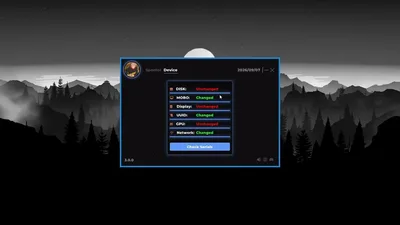
The retained HWID Spoofer page lists disk serial changes, MAC address changes, GPU identifier changes, related fingerprints and an included trace cleaner. These are the utility’s stated functions. They describe a scope of software behavior, not evidence that the tool works against every system using device information.
The listed anti-cheat families include Vanguard, Easy Anti-Cheat, BattlEye, Ricochet, ACE and Javelin. FACEIT is not established by that list. A familiar game name on another page is not a substitute for explicit support for the environment you need.
A failed login is not enough to choose a product
The supplied product information does not provide a diagnostic rule for identifying a hardware restriction. Do not conclude that a sign-in problem automatically requires identifier changes. Record the exact message, the service that produced it and the step where it appeared. Those details support a useful question without assuming the cause.
Similarly, an installation or activation error in the FACEIT loader does not establish that HWID Spoofer is needed. The Cloud DMA dependency guide explains the confirmed requirement. Replacing that fact with an unsupported spoofer requirement would misdescribe the main purchase.
Keep each product’s requirements separate
HWID Spoofer lists 64-bit Windows 10 or 11, administrator rights, internet access and enabled HVCI, Core Isolation, TPM and Secure Boot. Those requirements belong to that utility. Meeting them does not confirm FACEIT coverage or prove that it resolves the issue you have.
The included cleaner and identifier controls also do not promise a particular enforcement outcome. The product page distinguishes the utility’s functions from an account sanction that remains active.
What to ask before ordering
Ask whether the current utility supports your precise intended environment and whether it addresses the issue described by the actual error. Also ask whether the main FACEIT setup needs it at all. Until those answers are confirmed, treat it as a separate catalog product rather than a required add-on.
Use support for product-scope questions and review the FACEIT build for its documented prerequisites. That build is FACEIT only, requires Cloud DMA and does not extend to Premier or normal Valve matchmaking.